> ## Documentation Index
> Fetch the complete documentation index at: https://funnelfox.com/docs/llms.txt
> Use this file to discover all available pages before exploring further.
# Price points
> Review, import, export, and edit the sellable pricing configurations that FunnelFox Billing offers at checkout.
A **Price Point** is one versioned, sellable pricing configuration. It sets
the currency, what is charged now, whether there is a trial, and the renewal
terms, and it grants one or more
[offerings](/docs/billing/settings-offerings). Manage price points on the
**PricePoints** tab of your FunnelFox Billing **Settings** page.
Each Price Point has three identifiers:
* **`ident`**: The stable public key that checkouts reference.
* **`pp_id`**: The internal row ID.
* **`pp_version`**: A version number that increases with each meaningful
edit.
 ## View price points
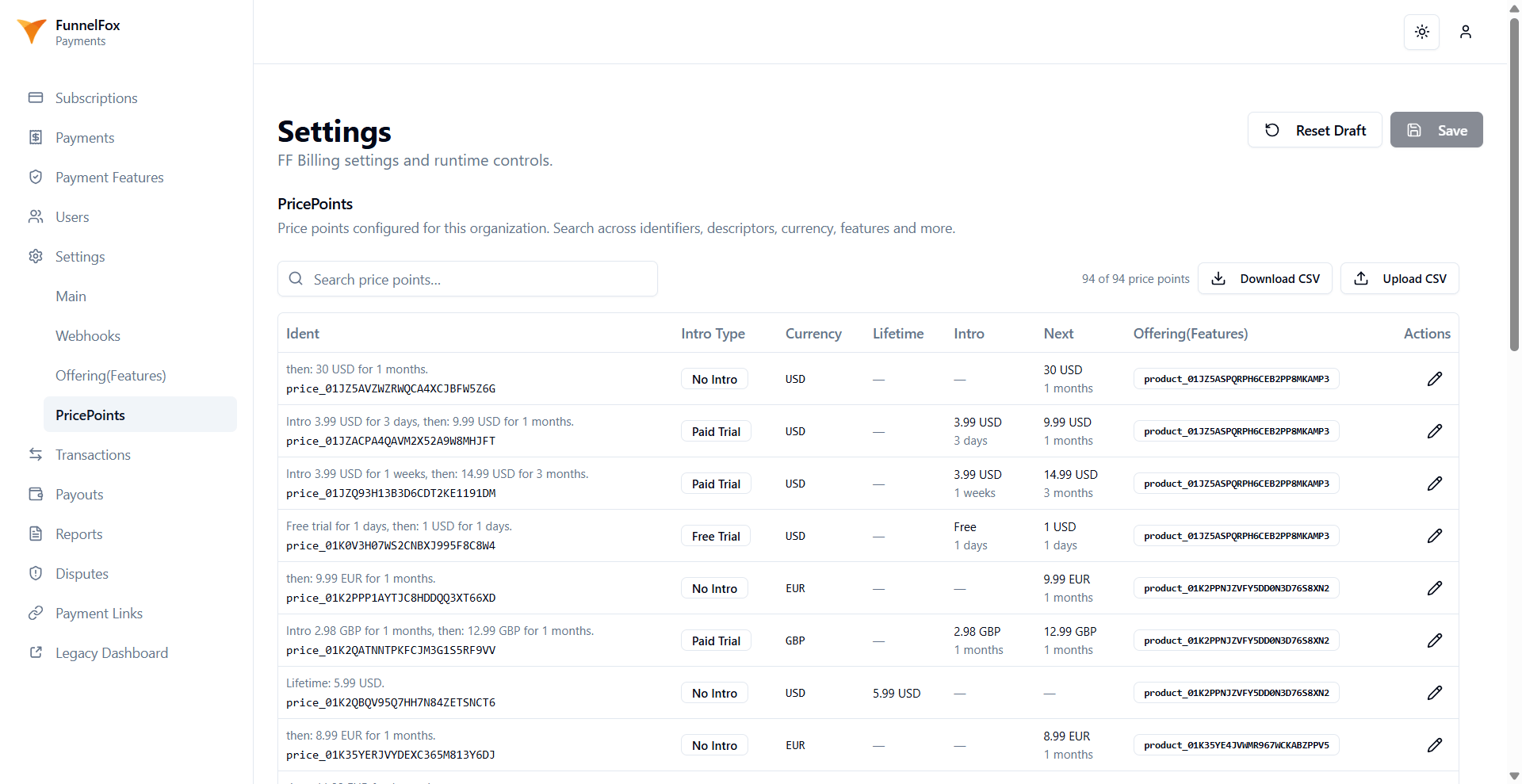
The tab shows every Price Point in your organization. Each row includes a
plain-English summary over its identifiers, plus these columns:
* **Intro type**: No intro, Free trial, or Paid trial.
* **Currency**: The currency code.
* **Lifetime**: The lifetime price, or a dash for subscriptions.
* **Intro**: The trial terms, free or priced, with the period.
* **Next**: The renewal price and period, or a dash.
* **Offering (Features)**: One badge per attached offering.
## Create a price point
There is no create button. You add a Price Point in one of two ways:
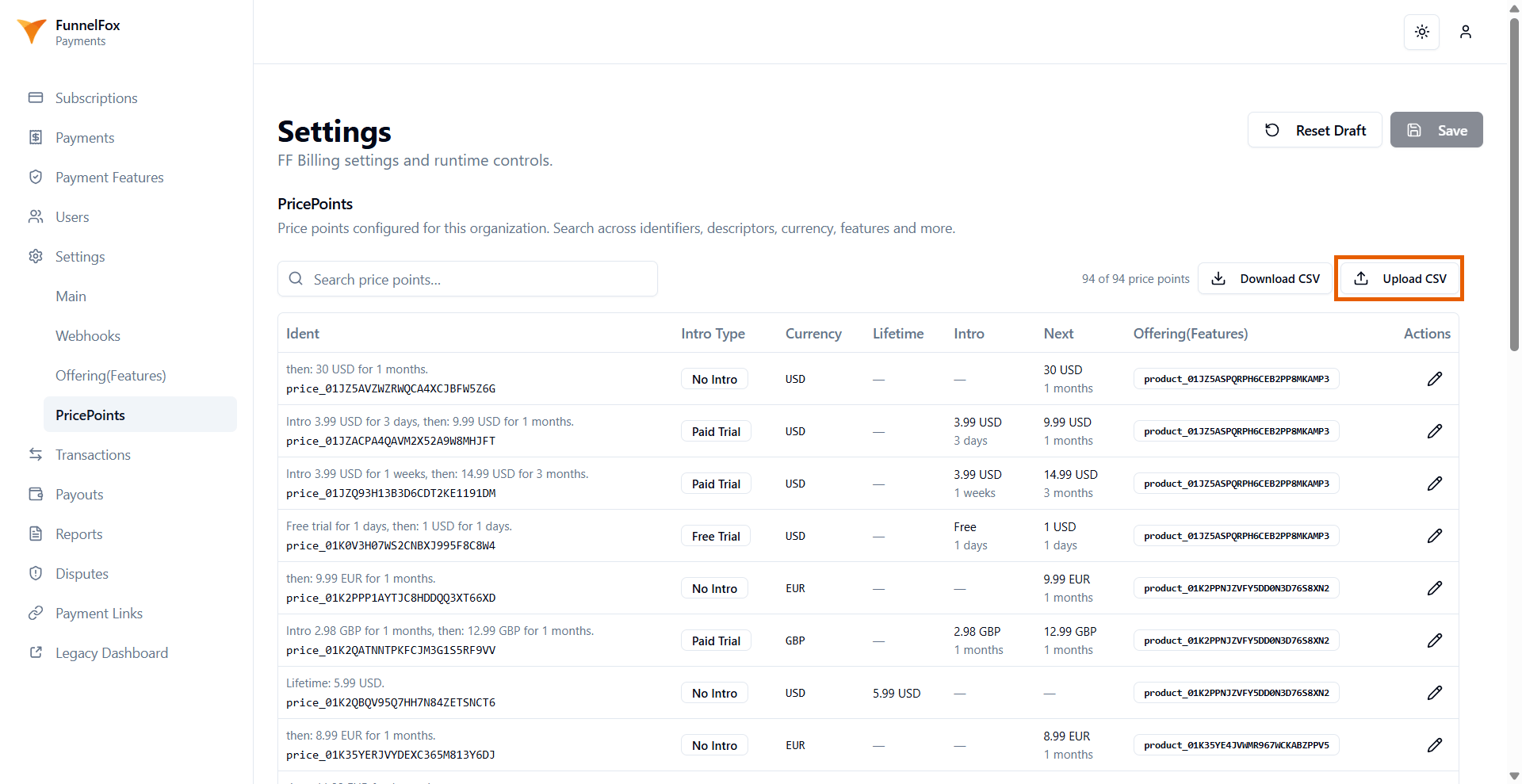
* **CSV import**: Click **Upload CSV** and provide a CSV file. Import is
insert-only, keyed by `ident`. Existing identifiers are skipped, and only
new ones are created. Each new row is fully validated for currency, intro
and price consistency, and existing offerings. Use **Download CSV** first to
export every existing Price Point to `price-points.csv` as a starting
template.
* **API**: Create Price Points programmatically with the
[FunnelFox Billing API](/docs/develop/api-billing).
## View price points
The tab shows every Price Point in your organization. Each row includes a
plain-English summary over its identifiers, plus these columns:
* **Intro type**: No intro, Free trial, or Paid trial.
* **Currency**: The currency code.
* **Lifetime**: The lifetime price, or a dash for subscriptions.
* **Intro**: The trial terms, free or priced, with the period.
* **Next**: The renewal price and period, or a dash.
* **Offering (Features)**: One badge per attached offering.
## Create a price point
There is no create button. You add a Price Point in one of two ways:
* **CSV import**: Click **Upload CSV** and provide a CSV file. Import is
insert-only, keyed by `ident`. Existing identifiers are skipped, and only
new ones are created. Each new row is fully validated for currency, intro
and price consistency, and existing offerings. Use **Download CSV** first to
export every existing Price Point to `price-points.csv` as a starting
template.
* **API**: Create Price Points programmatically with the
[FunnelFox Billing API](/docs/develop/api-billing).
 ## Edit a price point
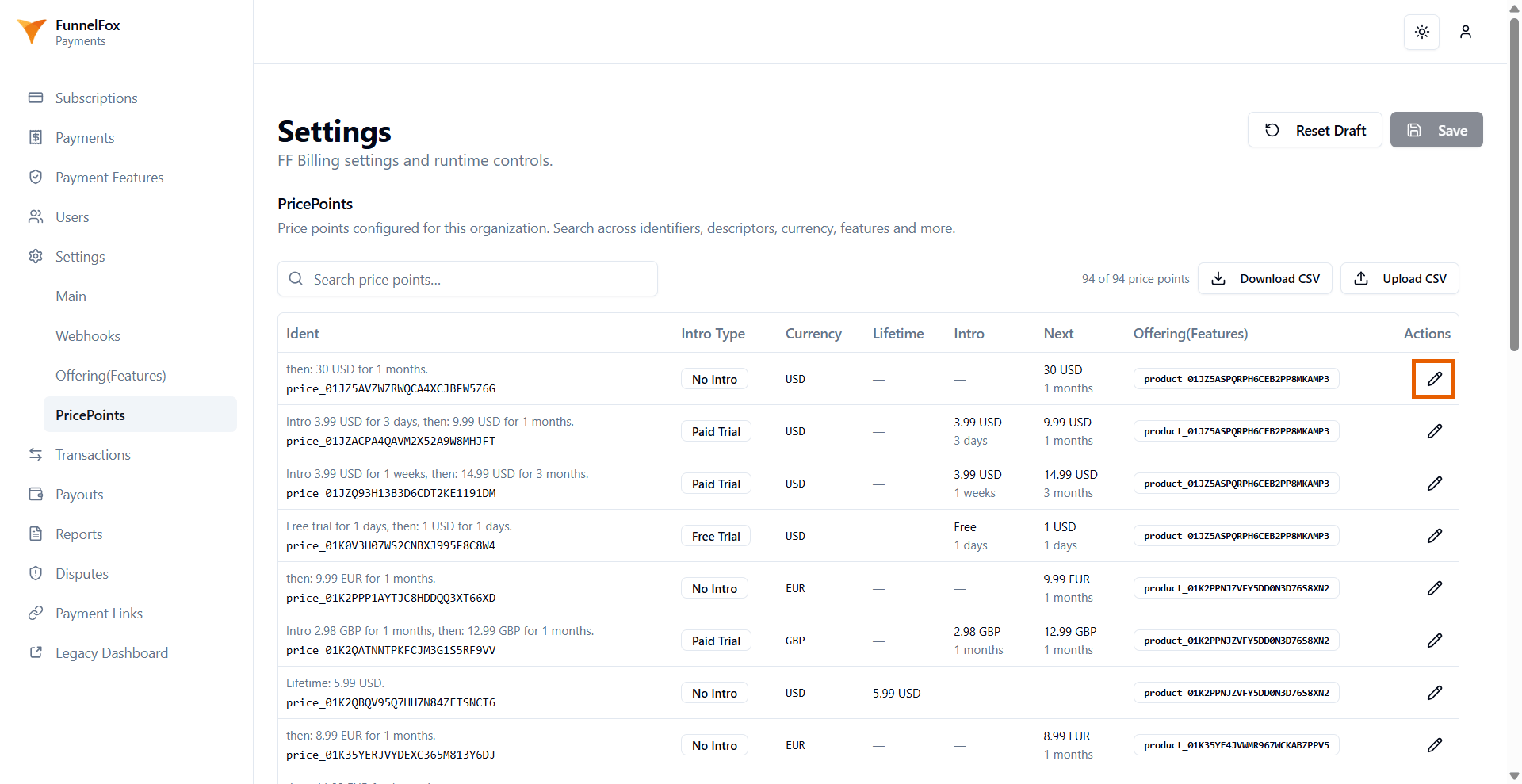
To change an existing Price Point, click the pencil icon on the right rather than CSV import, then click **Save changes**:
* **Ident**: The Price Point's identifier. It is editable, so renaming is
supported, and the original identifier is preserved so continuity is
maintained. Required.
* **Intro type**: No intro, Free trial, or Paid trial. It controls which
trial fields appear.
* **Currency code**: The three-letter currency code, entered in uppercase.
Required.
* **Lifetime price**: The one-off price. Leave it empty for a subscription.
* **Free trial period and duration**: The length of a free trial (shown for
Free trial).
* **Paid trial price, period, and duration**: The price and length of a paid
trial (shown for Paid trial).
* **Next billing**: The renewal **price**, **period**, and **duration** that
govern the recurring cadence.
* **Descriptor**: The statement descriptor shown on the card statement.
* **Offering (Features)**: The offerings this Price Point grants, chosen from
a multi-select list. Offerings already attached are kept even if they are
not in the current list.
* **Description**: An internal note.
* **PP Extra Metadata (JSON)**: An optional flat JSON object of string,
boolean, or number values. Invalid JSON blocks saving.
Existing subscribers are unaffected. They stay pinned to the version they
purchased, and only new checkouts use the edited pricing through the stable
`ident`.
Renaming a Price Point changes the `ident` that your checkouts reference.
Update any funnel or integration that points to the old identifier.
## Edit a price point
To change an existing Price Point, click the pencil icon on the right rather than CSV import, then click **Save changes**:
* **Ident**: The Price Point's identifier. It is editable, so renaming is
supported, and the original identifier is preserved so continuity is
maintained. Required.
* **Intro type**: No intro, Free trial, or Paid trial. It controls which
trial fields appear.
* **Currency code**: The three-letter currency code, entered in uppercase.
Required.
* **Lifetime price**: The one-off price. Leave it empty for a subscription.
* **Free trial period and duration**: The length of a free trial (shown for
Free trial).
* **Paid trial price, period, and duration**: The price and length of a paid
trial (shown for Paid trial).
* **Next billing**: The renewal **price**, **period**, and **duration** that
govern the recurring cadence.
* **Descriptor**: The statement descriptor shown on the card statement.
* **Offering (Features)**: The offerings this Price Point grants, chosen from
a multi-select list. Offerings already attached are kept even if they are
not in the current list.
* **Description**: An internal note.
* **PP Extra Metadata (JSON)**: An optional flat JSON object of string,
boolean, or number values. Invalid JSON blocks saving.
Existing subscribers are unaffected. They stay pinned to the version they
purchased, and only new checkouts use the edited pricing through the stable
`ident`.
Renaming a Price Point changes the `ident` that your checkouts reference.
Update any funnel or integration that points to the old identifier.
 ## Next steps
* [Create offerings](/docs/billing/settings-offerings)
* [Configure Main tab settings](/docs/billing/settings)
* [Use the FunnelFox Billing API](/docs/develop/api-billing)
## Next steps
* [Create offerings](/docs/billing/settings-offerings)
* [Configure Main tab settings](/docs/billing/settings)
* [Use the FunnelFox Billing API](/docs/develop/api-billing)