This section is being reworked. Detailed documentation is coming soon!
Subscription management
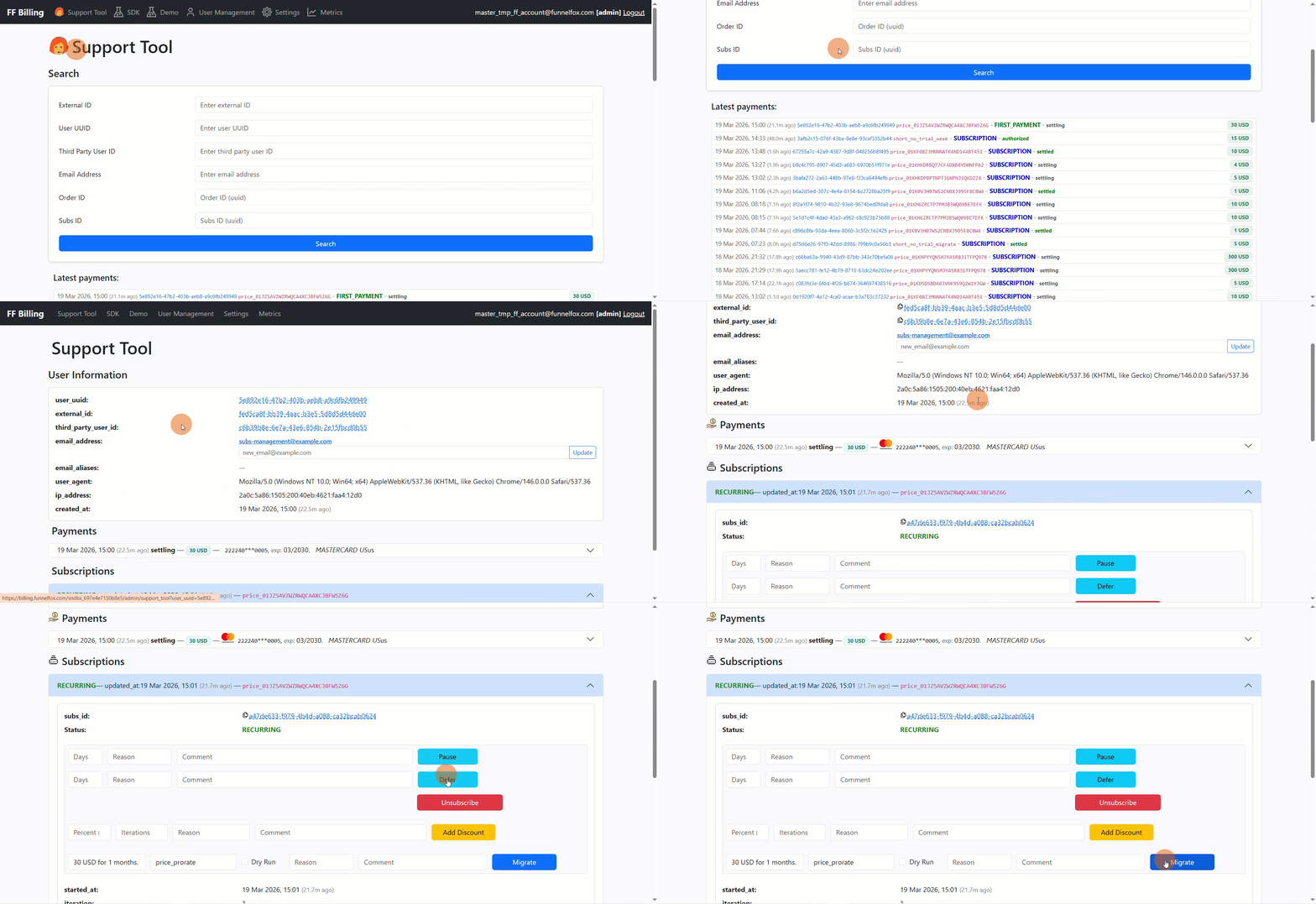
To manage subscriptions:- Go to the Support Tool page.
- Search for a user or click on the User UUID under Latest payments.
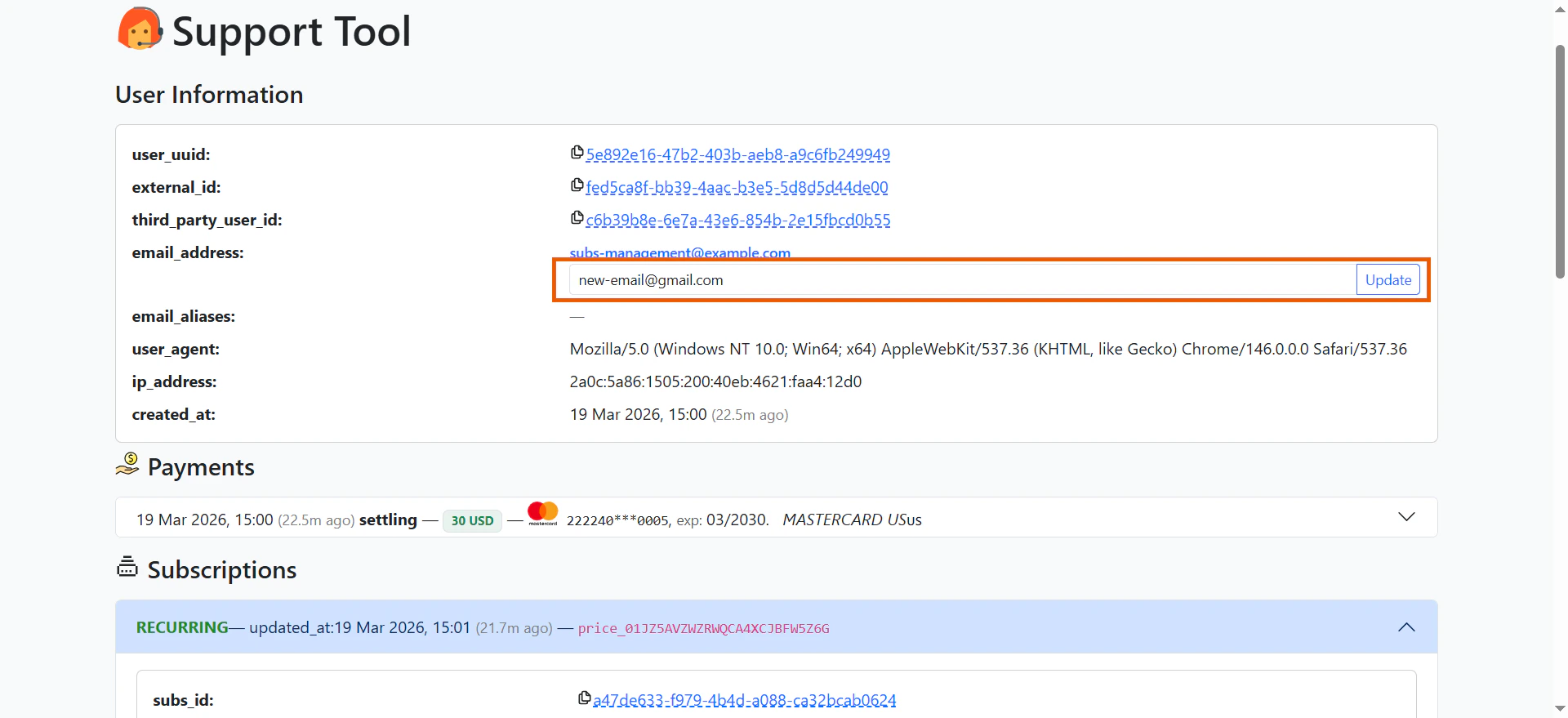
- You will see sections with the following user details:
- User information: Shows user IDs, email address, user agent (browser), IP address, and creation date.
- Payments: Shows transactions and refund options.
- Subscriptions: Performs subscription management actions and shows subscription status.
- One-off: Shows lifetime subscription access.
- Webhook events: Shows events related to the user. Learn about FunnelFox Billing webhook events.
Modify subscriptions
From the Subscription section, you can perform the following actions:Unsubscribe
Auto-renew becomes disabled, no additional charges occur. Premium access remains active until the end of the current paid period, then becomes deactivated.
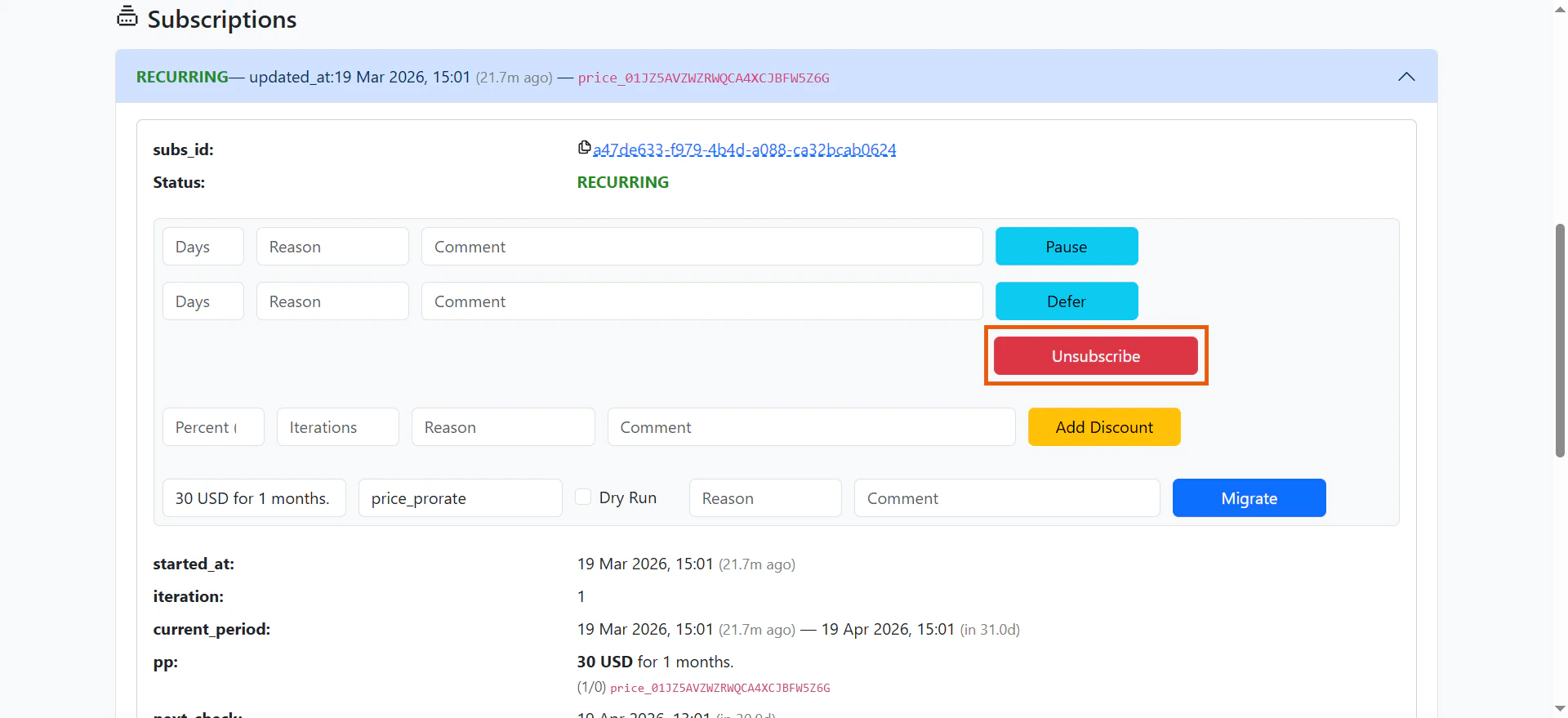
Pause and Resume
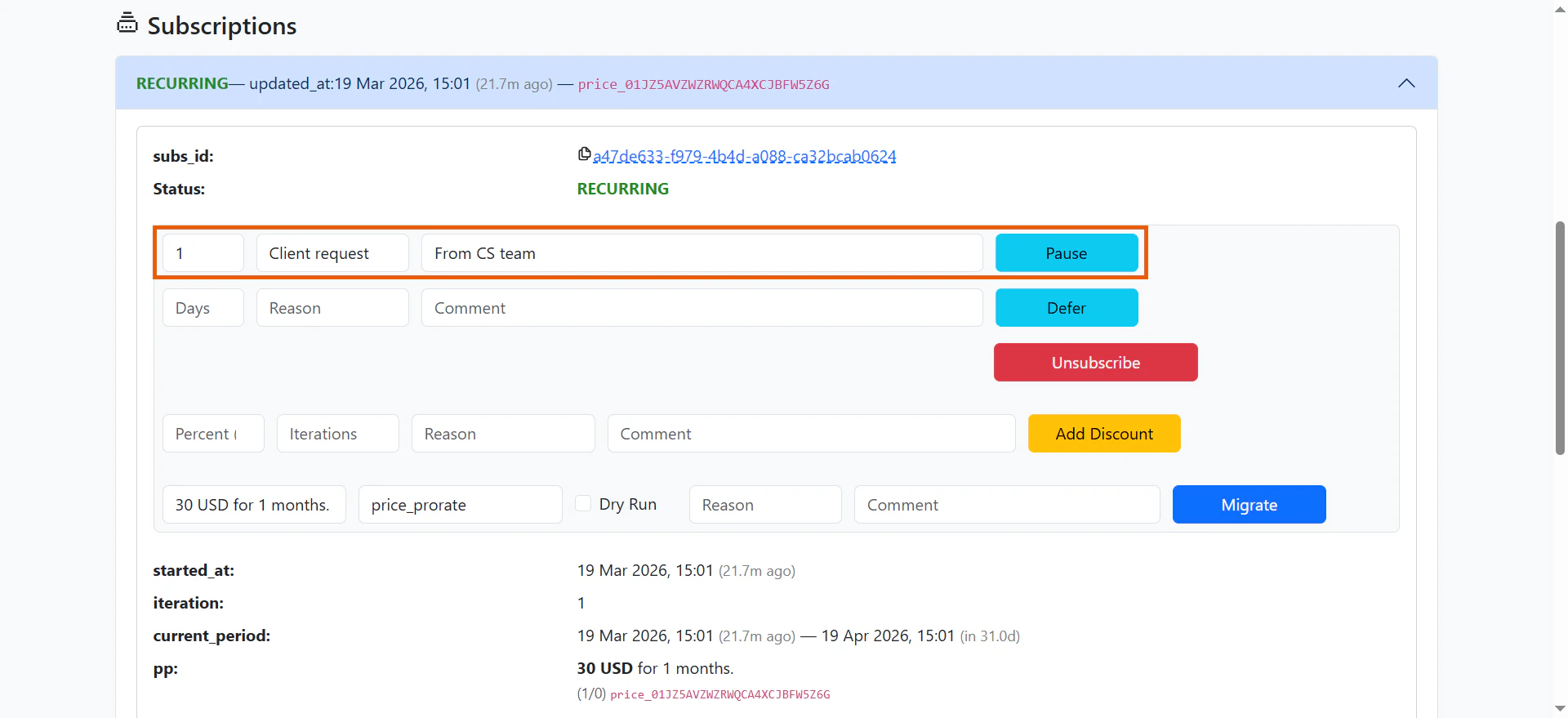
Users can temporarily pause their subscriptions to delay future charges. The subscription resumes automatically after the set period or can be manually resumed via API. Premium access is not available during the pause.
Discount
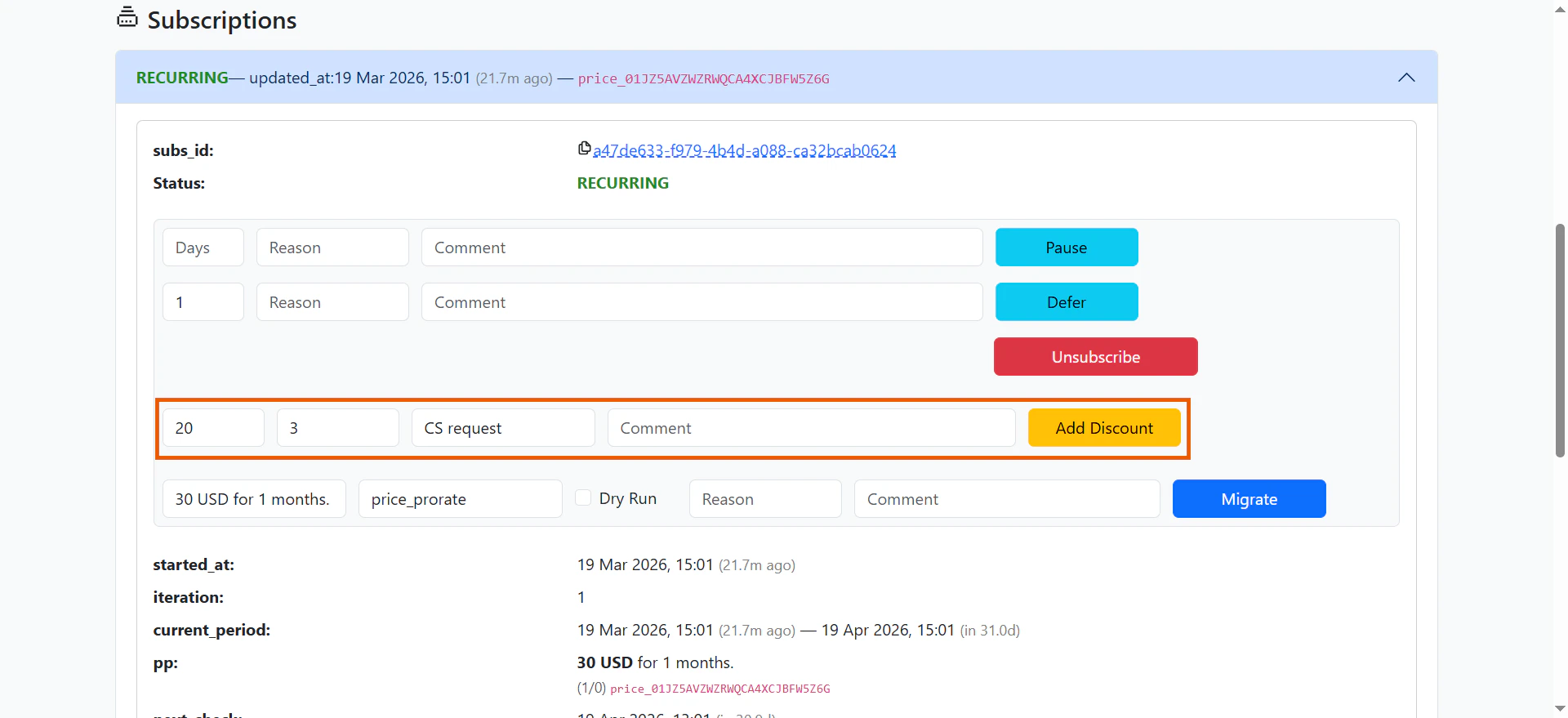
After a subscription is purchased, you can apply discounts to future payments. Discounts are calculated as a percentage of the payment amount. You can also specify how many billing cycles the discount applies to. For example, set a 30% discount on all future payments, or a 50% discount on just the next two payments.
Defer Subscription
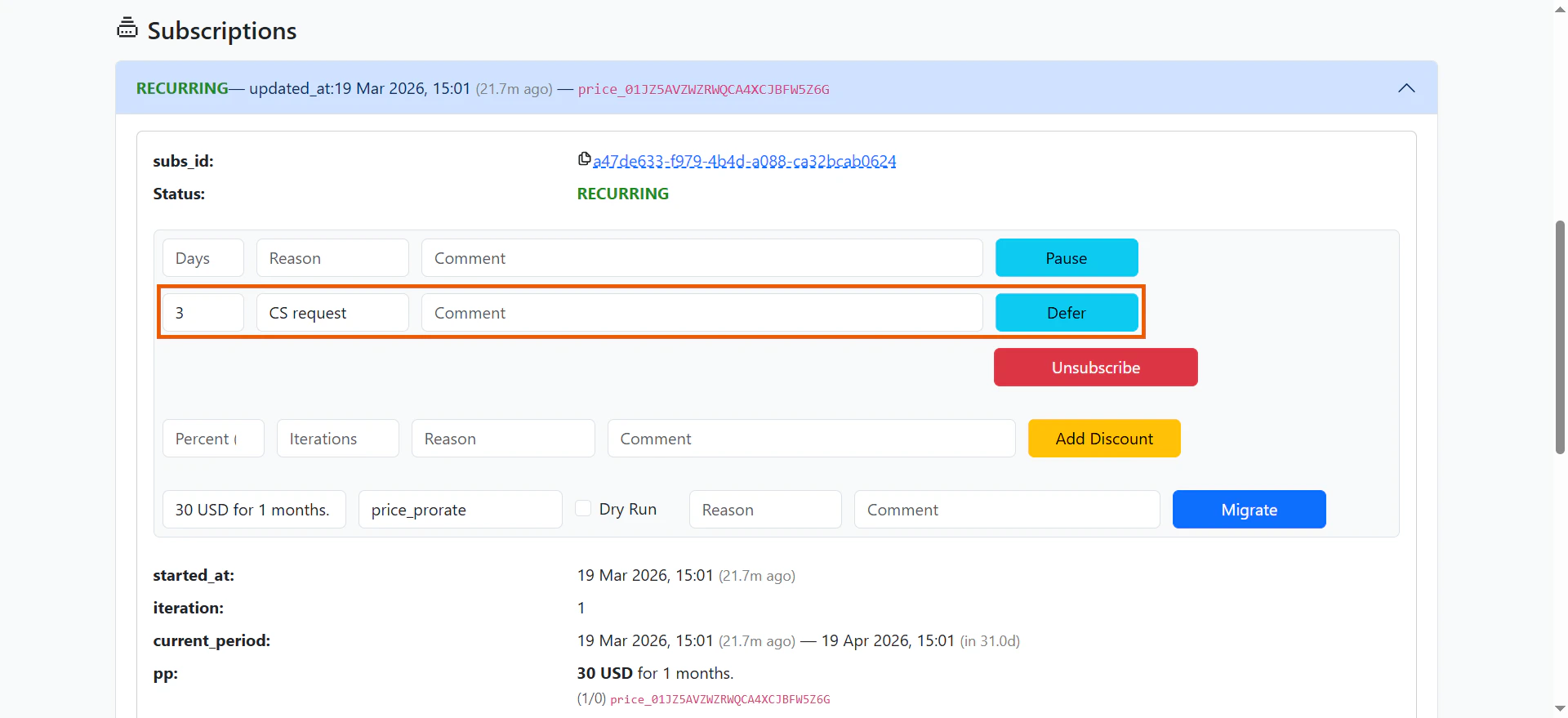
Defer subscription postpones the next charge date. This is useful when a user could not use the app and you want to compensate them for that time.The next payment date is pushed forward, giving the user free access for a set period. This helps maintain customer loyalty without issuing refunds or manually extending subscriptions.
Subscription status
To check a user’s subscription status, open the User Information page in the Support Tool. The Subscription section shows two key fields that tell you the current state and what happens next:
Status
The status field shows the current subscription state:- INTRO: The subscription is in its trial period.
- UPCOMING: The subscription is scheduled to start in the future using migration with the
delayed_startstrategy. It transitions to RECURRING when the previous subscription expires at the end of its paid period. - RECURRING: The trial is over and the subscription is active. Charges occur 2 hours before each billing cycle to ensure uninterrupted access.
- AUTORENEW_OFF: Auto-renewal is disabled. The subscription will end after the current period.
- PAUSED: The subscription is paused until a set date. Premium access is unavailable during this time.
- GRACE: Payment failed, but the user still has temporary access.
- RETRY: Payment failed and the system is retrying the charge.
- EXPIRED: The subscription has ended.

is_active webhook property is true when premium access is active, and false when it’s disabled.

Next check
The next_check field shows when the next subscription action will occur. What happens depends on the current status:| Status | What happens at next_check |
|---|---|
| INTRO | User is charged and the subscription converts to recurring |
| RECURRING | User is charged for the upcoming billing cycle |
| AUTORENEW_OFF | Subscription expires and premium access is revoked |
| PAUSED | Subscription resumes automatically |
| GRACE | System attempts to charge the user again |
| RETRY | System attempts to charge the user again |
| EXPIRED | No action (subscription fully stopped) |
A subscription can have multiple statuses simultaneously. When this happens, all corresponding actions occur at
next_check. For example, a subscription with both RECURRING and AUTORENEW_OFF statuses won’t charge again (auto-renewal is disabled), but the current premium access remains active until it expires.Track status changes
Track all subscription status changes to maintain your own analytics and stay up-to-date on user activity. Each status change creates an event that you can view in two places:- In the Webhook Events section on the user’s information page in the Support Tool.
- At your backend via webhook (if configured).