
Use cases
Perfect for:- Limited offers - “50% off ends in…”
- Expiring bonuses - “50% off ends in…” then redirect to full price
- Product launches - “Early bird pricing ends…”
Create timers
Set up your timer by adding the element and configuring its content and behavior.1. Add timer
1
Add element
Prompt the AI Chat in Editor to add a Timer element.Or open the Elements tab on the left, click Add element and go to All > Timer.
2
Select Timer type
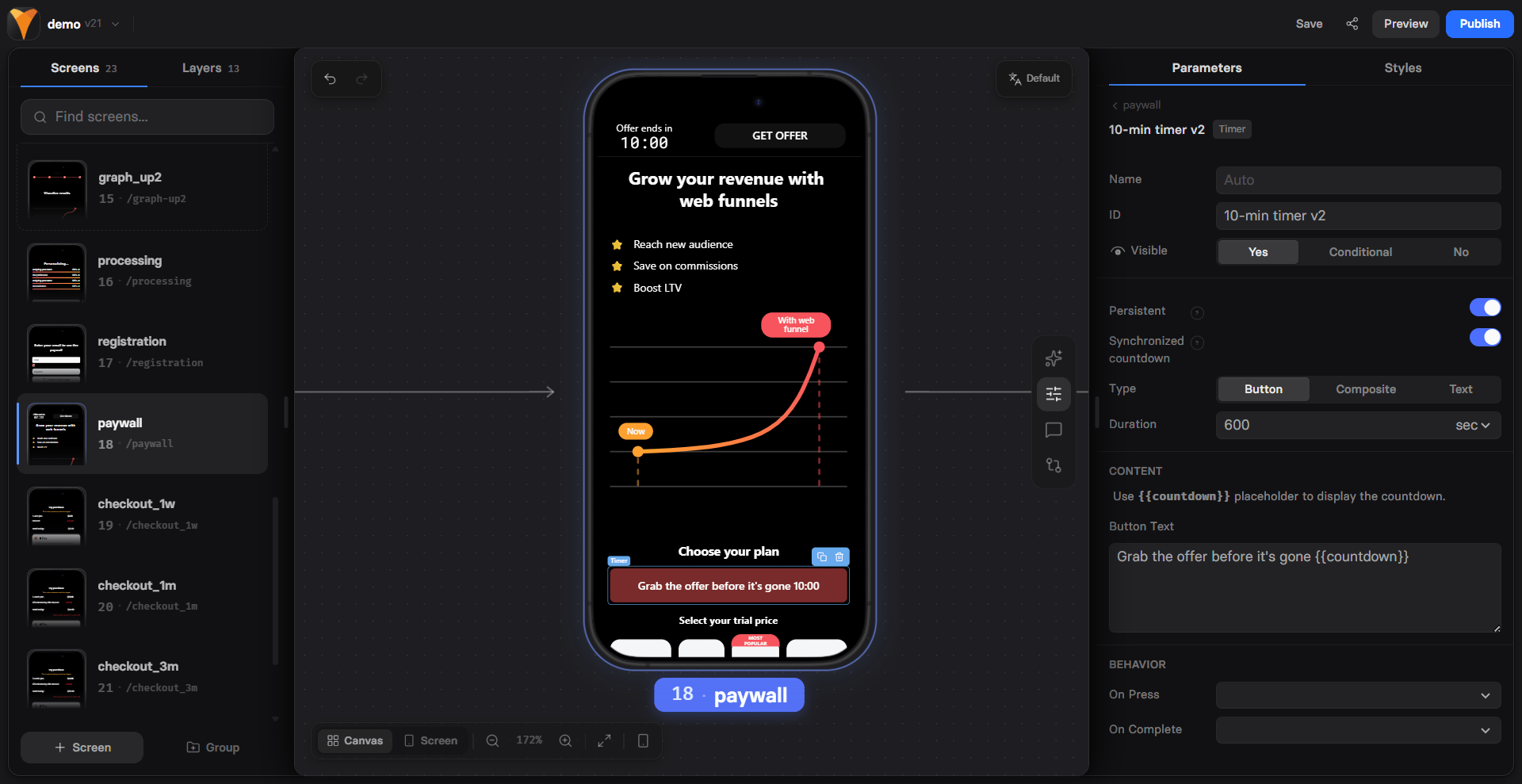
Open Properties in the selector on the right and go to the Parameters tab of your Timer, then select the timer type:
- Button: Countdown displayed on a button.
- Composite: Button + text for maximum visibility.
- Text: Inline countdown in text.
2. Configure timer
Go to Properties > Parameters and configure:- Persistent: When enabled, the timer preserves its time after a page refresh or when the visitor returns.
- Duration: Timer length in seconds or minutes.
- Text: Inline label that displays the countdown. Use the
{{countdown}}placeholder. - Button Text: Button label that displays the countdown. Use the
{{countdown}}placeholder. - On Press: Configure actions that run when the button is pressed, such as navigating the user, revealing hidden elements, and more.
- On Complete: Configure actions that run when the timer reaches zero, such as navigating to another page. A common pattern is to redirect an expiring-discount paywall to a full-price version once the countdown ends.
- Synchronized countdown: Syncs the timer start time across all pages in this funnel. When disabled, each timer starts when the user first views it.
For funnels created with AI Chat, this redirect logic is configured automatically. AI Chat creates a full-price paywall version and adds a redirect when the countdown ends.
3. Timer layout
Go to Properties > Styles to customize the visual appearance of the element, button, text, and countdown.Troubleshooting
Timer resets when page is refreshed
Timer resets when page is refreshed
Check the Persistent setting. When enabled, the timer preserves its time after a page refresh or when the visitor returns.
Timers show different times across pages
Timers show different times across pages
Check the Synchronized countdown setting. When enabled, all timers in the funnel start at the same time. When disabled, each timer starts when the user first views it.
There's an extra '(no discount)' page in my funnel
There's an extra '(no discount)' page in my funnel
This is expected. When a paywall has a timer and a discount, the AI Chat
creates a full-price copy and redirects the timer to it on expiry. Delete it
only if you don’t want the offer to expire.